En
En 

Introduction
Mini Sumo: the 500 g class and its Georgian champion
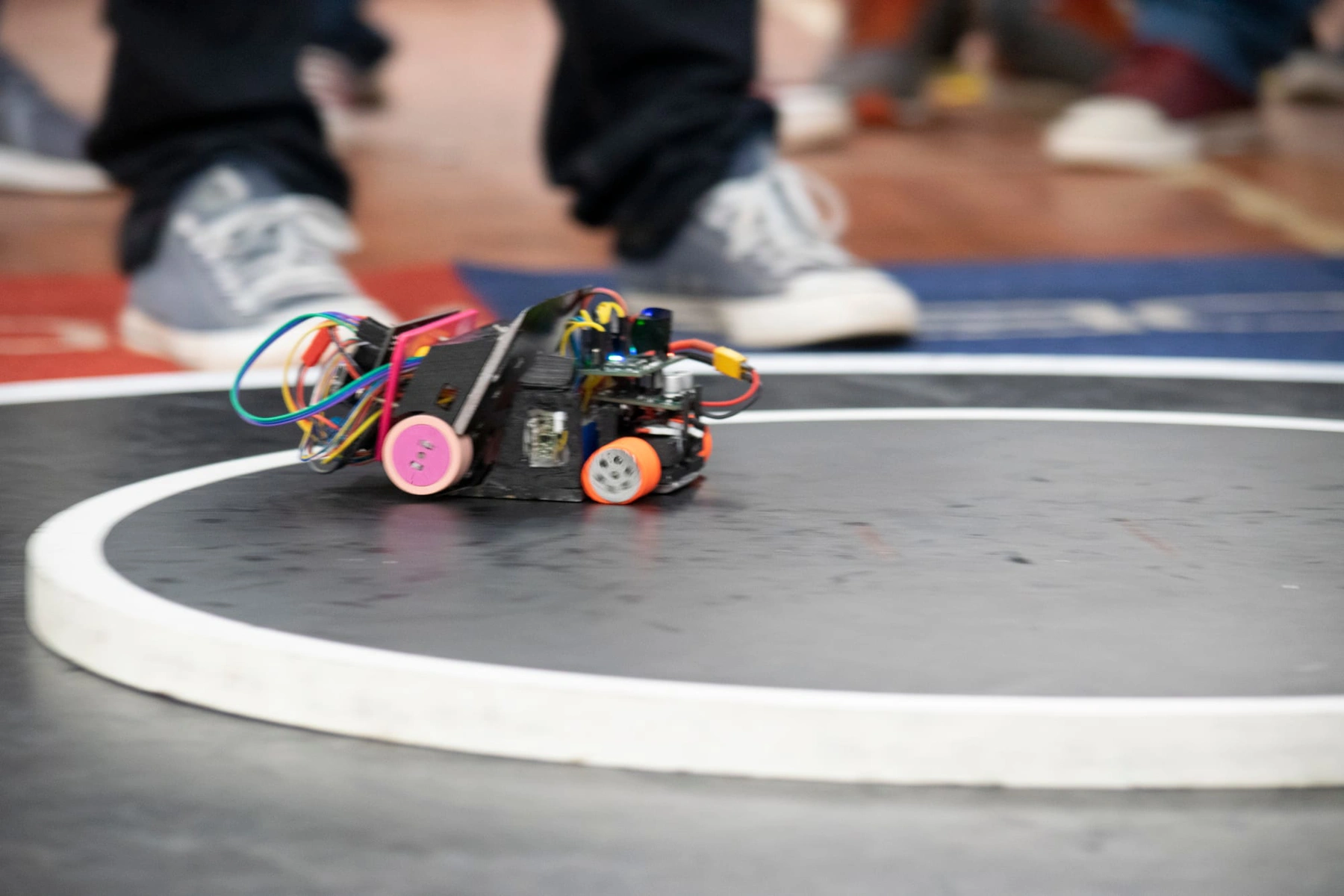
Mini Sumo is a robot sumo class in which two autonomous robots, each fitting inside 10×10 cm and weighing under 500 g, try to push each other off a round black ring. The robot is small, its parts are easy to find and a practice ring can be made at home, which makes it the most common first sumo class for teens and families.
In 2026 Georgia got its own Mini Sumo champion. On 20 June in Tbilisi, at our championship, team Kokadama won Mini Sumo, and it now represents Georgia at RoboChallenge 2026 in Bucharest.
This article is only about the 500 g class: its rules, its parts, a build squeezed into 10 cm, and our champion. If robot sumo is completely new to you, start with SUMO robot competitions: what they are and how to prepare; the general stages of building a sumo robot are in our guide how to build a sumo robot.
What is Mini Sumo and why start with it?
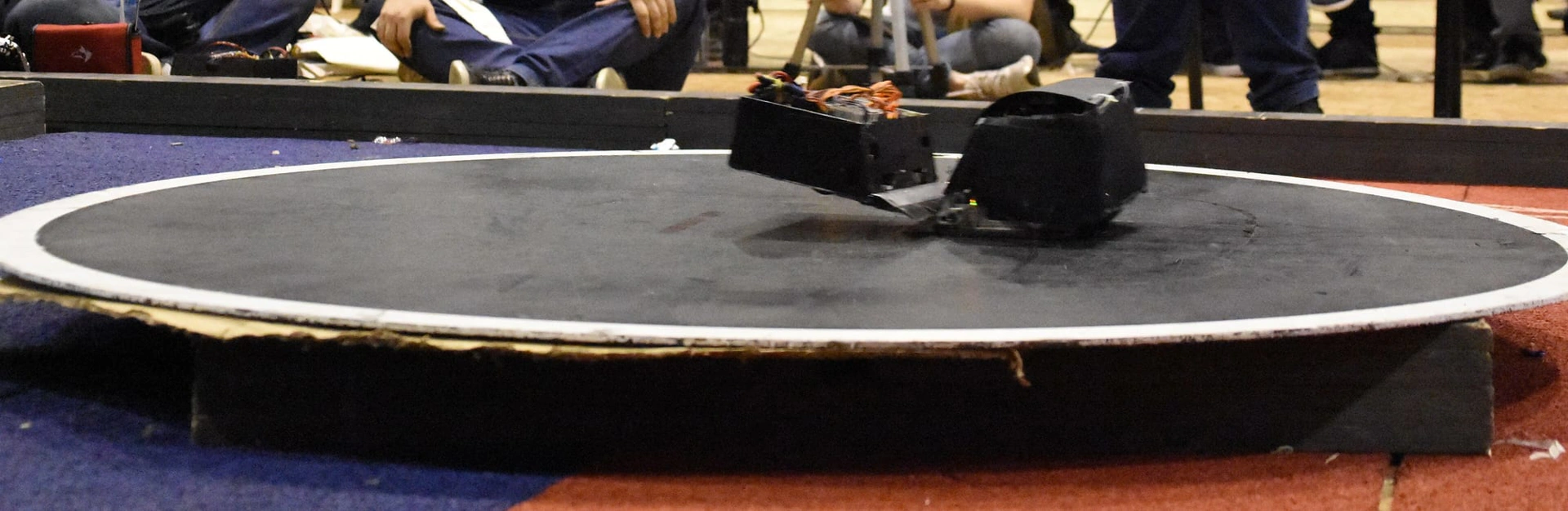
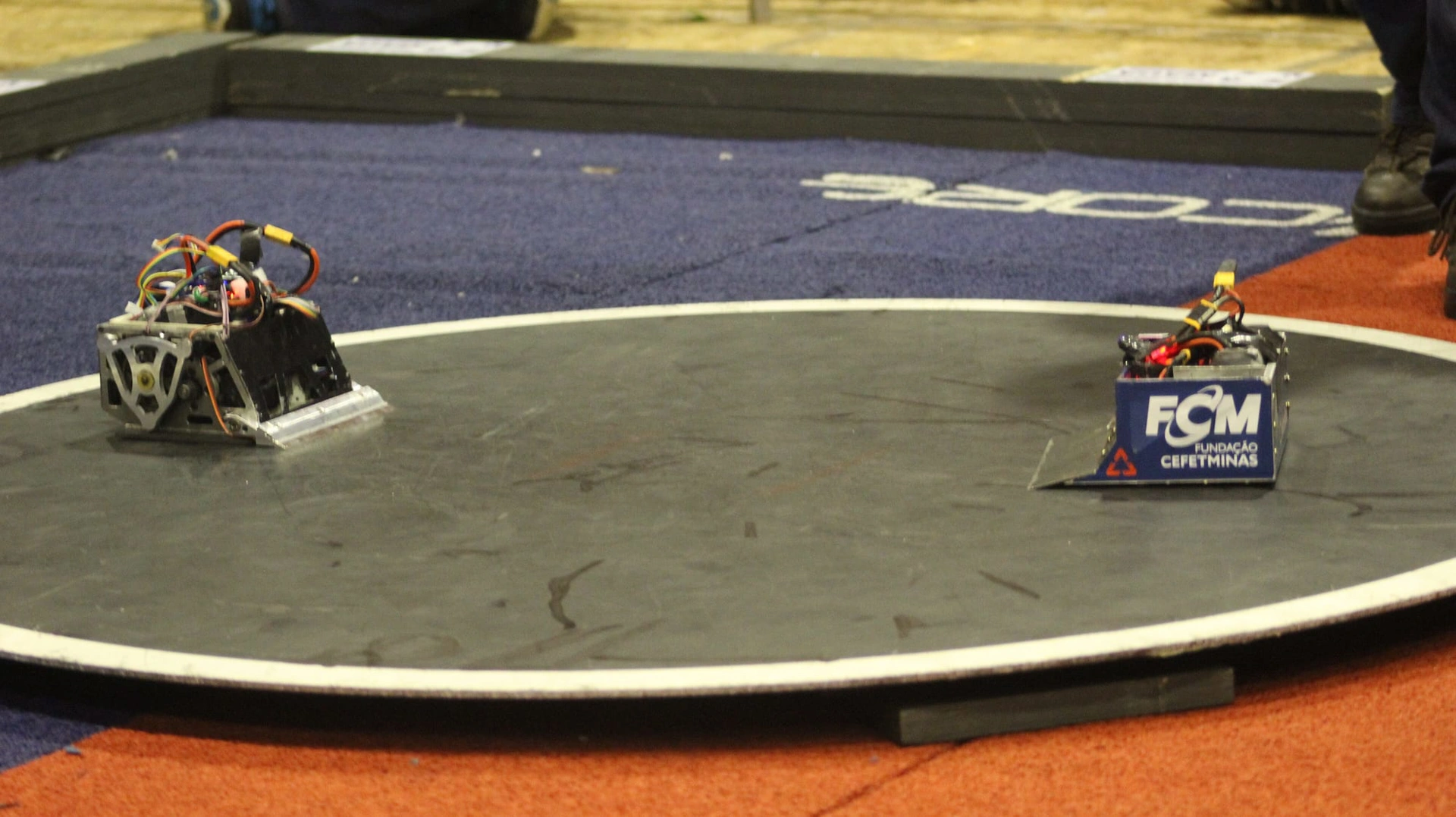
Two robots are placed on the ring (the dohyo), the referee sends the start signal and the robots fight with no human input. The first to touch the floor outside the ring loses the round. There is no remote control: the robot must find the opponent, attack and spot the edge of the ring on its own.
Why Mini Sumo is a good first competition:
- A small ring. It is 77 cm across and fits on an ordinary table.
- Every engineering topic at once. Mechanics (motor, wheel, wedge), electronics (power, sensors) and programming.
- Fast feedback. A round often ends in seconds, so the effect of every change shows straight away.
- Physics you can feel. Maximum push is roughly friction coefficient × mass × gravity (F ≈ μ·m·g). For a 0.5 kg robot and μ ≈ 1 that is only about 4.9 newtons.
So a strong motor alone will not win. What decides a match is using the full weight allowance, good grip and a low wedge that slides under the opponent and lifts its wheels off the surface.
Mini Sumo rules: RoboChallenge vs our championship
Rules depend on the organiser. Below are the two rule sets that matter most to Georgian teams right now, as of 2026: ours, for Georgia’s championship (SUMO and Line Follower rules), and the RoboChallenge 2026 Mini Sumo regulation.
- Size: at our championship the robot must fit in a 10×10 cm box; at RoboChallenge 10×10 cm, checked with a 10.2 cm frame.
- Weight: at our championship up to 0.5 kg; at RoboChallenge under 500 g, with a scale limit of 502 g.
- Height: not stated in our championship rules; not restricted at RoboChallenge.
- Control: at our championship autonomous, running the team’s own program; at RoboChallenge autonomous, with the referee’s IR start/stop module.
- Ring: not stated in our championship rules; at RoboChallenge wooden, black, 77 cm, with a 25 mm white border.
Other important RoboChallenge rules:
- A match is three rounds in 3 minutes in total. The first to win two points (Yuhkoh) wins; if time runs out, the team with one point wins.
- A round starts the instant the start signal arrives, with no delay. A team with no start module, or a faulty one, cannot compete.
- Devices that add downforce are banned: EDF fans, suction pumps. In the bigger class, on a steel ring, magnets and vacuum are allowed (see mega sumo robot).
- Tyres must not be sticky: they must not lift an A4 sheet (80 g/m²) for more than two seconds.
- IR jammers, liquids, powders, gases, flames and projectiles are banned. The blade must not be white.
- A robot may unfold after the start but must not split into pieces. A robot that fits the micro or nano class dimensions cannot enter Mini Sumo.
Our championship was open from age 14, school teams included, in teams of 2–5 members. One team could enter several categories, for example Mini Sumo and line follower robot. All the winners are in Georgia’s robotics championship 2026.
Kokadama: Georgia’s Mini Sumo champion at RoboChallenge 2026
On 20 June 2026, at Radio City (District 4) in Tbilisi, our association held Georgia’s STEAM and Robotics Championship. Team Kokadama won the Mini Sumo category. Its members are Konstantine Kvaratskhelia, Kakhaber Kvaratskhelia, Davit Kvaratskhelia and Maia Tsulaia.
The SUMO and Line Follower winners earned the right to represent Georgia at the European championship in Romania. Together with Mega Sumo champion RageByte and Line Follower champion Kavtazi, Kokadama is competing at RoboChallenge 2026, held from 30 October to 1 November at POLITEHNICA University of Bucharest. It is the first time Georgia’s national robotics team takes part in this event. Tbilisi Digital School is among the team’s supporters.
At the time of writing (31 October 2026) the event is still running and results are not yet known. Read more about the team and the scale of the event in Georgia’s national team at RoboChallenge 2026, and see how you can support the team in how to help Georgia’s robotics team.
What parts does a mini sumo robot need?
Below are simple, common options for a first build, sized for the Mini Sumo limits. Sensor and motor types in general are covered in our sumo robot build guide.
- Microcontroller: Arduino Nano, 45×18 mm and 7 g. Power it via VIN from a 2S battery.
- Motors (2): micro metal gearmotor with a 10×12 mm cross-section. Watch the rated voltage and stall current.
- Motor driver: DRV8833, 2.7–10.8 V, two channels. 1.2 A continuous and 2 A peak per channel.
- Battery: 2S LiPo, 7.4 V. Light and delivers high current; 8.4 V when fully charged.
- Opponent sensors (2–3): VL53L0X (ToF), which measures up to 2 m, or a digital IR sensor. Mount them low, at the front and sides.
- Line sensors (2): TCRT5000. Detects the white border, with the best signal at 2.5 mm.
- Start module: IR start/stop module, required by the rules. Place it on top, facing the referee’s remote.
- Blade: a steel plate that slides under the opponent. It must not be white.
- Chassis and ballast: aluminium, 3D print, steel plate. They bring the mass up towards 500 g; keep them as low as possible.
Match the motors to the driver. When pushing, the motors are nearly stalled and draw the most current. Pololu lists a stall current of 1.6 A (at 6 V) for the HP 6V version of its micro gearmotor, while its DRV8833 board handles about 1.2 A per channel continuously. At 8.4 V the current is higher still, so in a long shove the driver can overheat and shut down for a moment. The fix is a lower-current motor (the 12V version stalls at 0.75 A, though it runs slower on 2S) or a stronger driver. According to the manufacturer, running above the rated voltage also shortens motor life.
Gear ratio is a choice between speed and force: 10:1 is fast but weak, 100:1 strong but slow. For sumo, something in between works best.
Use all the weight. The electronics are very light: the Nano weighs 7 g, a VL53L0X board 0.5 g. The remaining mass comes from a metal chassis and ballast, as low as possible, to increase grip. Aim for 490–495 g in the end, so that you stay under the limit on another scale too.
How to build a mini sumo robot, step by step
Many people start with a learning robot car before sumo: it teaches the driver, sensors and programming (see my first robot). A mini sumo is the same idea squeezed into 10 cm. If Arduino is new to you, start with Arduino for beginners. The general stages of building a sumo robot are in our step-by-step guide; below are the steps that fitting into 10×10 cm and 500 g calls for.
- Draw a plan. On paper or in CAD, draw a 9.5×9.5 cm square (half a centimetre of margin) and lay out the motors, battery, board and sensors inside it.
- Chassis and motors. Mount the motors as low as possible, with the wheels at the edge of the chassis. Check that both motors turn in the same direction.
- Blade. The front plate should be angled and almost touch the surface across its full width. Every millimetre of gap gives the opponent’s blade a chance to get under you.
- Power. Battery, switch, then the driver’s VM and the Nano’s VIN. Join all grounds (GND) at one point.
- Line sensors. Two sensors in the front corners, facing down, a few millimetres above the surface.
- Opponent sensors. One at the front centre, two at the sides or at an angle. Mount them low so they also see a low opponent.
- Start module. On top of the robot, so it easily picks up the referee’s remote.
- Weigh and test. Weigh the robot, add ballast, then run dozens of rounds on the ring.
One simple wiring option (Nano pin and what it connects to):
- D2: start module signal.
- D5, D6: DRV8833 AIN1, AIN2 (left motor).
- D9, D10: DRV8833 BIN1, BIN2 (right motor).
- D7, D8, D12: opponent sensors: left, centre, right.
- A0, A1: line sensors: left, right.
- A4, A5: I2C (SDA, SCL), if you use VL53L0X.
- VIN, GND: battery, through the switch.
D5, D6, D9 and D10 are PWM pins, so motor speed is set with the analogWrite function. Every VL53L0X has the same default I2C address, so with several sensors you switch them on one by one using the XSHUT pin and give each a new address. XSHUT is not 5 V tolerant: set the Nano pin LOW (off) or switch it to INPUT (on).
Most of the wires need soldering, because a breadboard does not survive sumo impacts. If you have not soldered before, start with electronics basics for robotics.
Strategy: search, attack and edge escape
A sumo robot program is easiest to write as a state machine: at any moment the robot is in one state (waiting, searching, attacking or escaping the edge) and moves to another based on its sensors. A simple teaching program repeats these steps on every pass of Arduino’s main loop, in order of priority:
- Stop. Read the start module signal. If it is 0, switch the motors off and wait. Under RoboChallenge rules the signal is 0 at power-on, becomes 1 on start and returns to 0 on stop.
- Escape the edge. If either line sensor sees white, the robot reverses while turning for about 350 milliseconds, then goes back to searching.
- Remember the opponent. If the left or right sensor sees the opponent, the program remembers which side it was last seen on.
- Attack. If the centre sensor sees the opponent, both motors drive forward at full speed. If the opponent drops out of view, the program goes back to searching.
- Search. If nothing is in sight, the robot spins on the spot towards the side where the opponent was last seen.
A program like this is for learning and deliberately simple. Calibrate the white threshold on the ring: record the line sensor readings on black and on white in Serial Monitor and pick a threshold halfway between (on many TCRT5000 modules white gives the lower number). Adapt the opponent sensor reading to your sensor as well: some return LOW when they see the opponent, others HIGH.
One weak spot: when you push the opponent to the edge, the line sensor sees white and the robot backs off. Experienced teams add a rule, “if the opponent is dead ahead, keep pushing even at the edge”, plus several start tactics chosen with a switch between rounds.
A practical tip
- After every change, run the edge test first: put the robot in the middle of the ring with no opponent and make sure it does not fall off once in 20 runs. Only then work on attacking.
- For a practice ring, cut a 77 cm disc from 20–30 mm plywood, paint it black and paint a 25 mm white stripe around the edge.
Homologation checklist: what is checked before a match
Homologation is the technical check before the fights. Based on the RoboChallenge rules, check at home that:
- the robot fits a bottomless 10.2×10.2 cm frame, wires and blade included;
- it weighs under 500 g with the battery;
- the start module switches on and off with the referee’s remote, and its green LED is not lit at power-on;
- the tyres do not hold an A4 sheet for more than two seconds;
- the blade is not white and is covered off the ring (two warnings give the opponent a point);
- the robot’s unique number is clearly visible on the body;
- there are no downforce devices, IR jammers or loose parts;
- the robot does not scratch the ring’s paint: a scratch longer than 5 cm and 2 mm wide is a major violation.
Our championship’s SUMO rules are in a separate article; before any other event, ask the organiser for the exact procedure.
Common mistakes and how to fix them
- The robot drives off the ring by itself. The line sensor is too high or the threshold is not calibrated. Record the readings on a ring of the official colour, under the same lighting.
- The motors stall or the driver cuts out in a shove. The stall current is over the driver’s limit. Choose a motor and driver pair with some margin.
- The Arduino resets mid-fight. The motors drag the voltage down. Check the ground connections and the battery charge.
- The opponent is “invisible”. The sensor is mounted too high. Test with “opponents” of different colours and heights.
- The robot weighs 420 g. The missing 80 g is lost grip: add ballast, low down.
- The blade does not touch the surface. The opponent’s blade gets under you. Straighten the blade across its full width.
Safety: LiPo batteries, soldering and the blade
The LiPo battery is the most dangerous part of a mini sumo. Following the University of Pennsylvania’s lab safety checklist:
- charge with a quality charger and always keep the balance lead connected;
- never charge unattended; use a LiPo safety bag or container while charging, away from anything flammable;
- let a hot battery cool down before charging;
- never let a cell drop below 3.0 V, and store it at about 3.8 V;
- check batteries regularly: a puffed battery is damaged and must not be used again.
When soldering, wear safety glasses, keep the room ventilated and put the hot iron back in its stand. A steel blade is sharp: file its edges, keep it covered off the ring and never test the edge with your hand. Do not hold a switched-on robot. When working with children, an adult charges the battery.
Mini Sumo as a family project: who does what
Robotics as a family starts well with Mini Sumo: the project is small, but there is a job for everyone. Georgia’s national robotics team is made up of student and family teams, so a family team is no stranger to these competitions. One way to split the roles:
- Mechanic: chassis, blade, wheels and ballast;
- Electronics: wiring, soldering and power;
- Programmer: the state machine and sensor calibration;
- Tester: a log of how many runs, how many falls and what changed.
Swap roles from time to time. The adult helps and watches safety, while the teen writes the code, so that afterwards they can explain why the robot behaves as it does.
Frequently asked questions
How much should a mini sumo robot weigh?
Under 500 g at RoboChallenge (a maximum of 502 g on the homologation scale) and up to 0.5 kg at our 2026 championship. Get close to the limit, because weight is grip, but keep 5–10 g of margin.
Are magnets allowed in Mini Sumo?
RoboChallenge’s Mini Sumo rules ban devices that add downforce (EDF fans, suction pumps). Its Mini Sumo ring is wooden anyway, so a magnet would not grip it. Magnets are used in Mega Sumo, where the ring is steel and the rules allow them.
From what age can you compete in Mini Sumo in Georgia?
Our 2026 championship was open from age 14, in teams of 2–5 members, school teams included. Other events have their own rules, so always read the organiser’s regulation.
Can I use an Arduino Uno instead of a Nano?
Yes, and the program stays the same. But the Uno measures 68.6×53.4 mm and takes space away from the motors, battery and ballast. The Nano is only 45×18 mm, which is why it is the more common choice in Mini Sumo.
How is Mini Sumo different from Mega Sumo?
In RoboChallenge’s Mega Sumo the robot fits in 20×20 cm and weighs up to 3 kg, the ring is a 154 cm steel disc, and magnets and vacuum are allowed. A mini sumo robot is six times lighter and its ring fits on a table at home, which makes it easier to start with.
Next step
For a first mini sumo robot you need a Nano, two motors, a driver, two line sensors and two or three opponent sensors, a start module and a plywood practice ring. First teach the robot to stay on the ring, then to find the opponent, and only then work on tactics.
When the robot is ready, test it at our competitions: our championships are on the competitions page. The next event is ROBO BATTLE 2026, on 21–28 November: details are in the ROBO BATTLE 2026 guide. We will post Kokadama’s and the whole team’s results from RoboChallenge 2026 on our Facebook page, so follow us to stay up to date.
Sources
- Mini Sumo Regulation, RoboChallenge
- Georgia’s Robotics Championship 2026: SUMO and Line Follower, GRA
- Georgia’s robotics team at RoboChallenge 2026: how to help, GRA
- Micro Metal Gearmotors, Pololu
- DRV8833 Dual Motor Driver Carrier, Pololu
- VL53L0X Time-of-Flight Distance Sensor Carrier, Pololu
- TCRT5000 Reflective Optical Sensor, Vishay
- Lithium Polymer Battery Use Checklist, University of Pennsylvania EHRS
- Photos: Trsumo (CC BY-SA 4.0) and Mpt-matthew (CC BY-SA 3.0), Wikimedia Commons.